

CompanyCam
Snap it in the field. See it in JobNimbus.
Description
CompanyCam is a visual-first job site communication app based in Lincoln, Nebraska, that helps contractors build trust with their crews and customers through easy photo documentation. Founded in 2014 by Luke Hansen after seeing the documentation challenges firsthand in his family’s roofing business, CompanyCam helps roofing and other home service contractors capture, organize, and share job site photos. With ongoing product improvements and integrations, CompanyCam makes it easier for teams to stay organized, communicate clearly, and document their work.
Integration Diagrams

Jobs/Contracts
Project
Photos
Land on matching job
Features

Jobs become Projects automatically.
Create a job or contact in JobNimbus and it shows up in CompanyCam as a project, no double entry.

Photos sync back to the job.
Every photo your crew snaps lands on the right job record in JobNimbus.
GPS-matched photos.
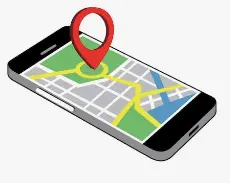
CompanyCam uses location to attach photos to the right project, so nothing gets misfiled.

Choose what syncs.
Sync by Jobs or by Contacts, whichever matches how your team works.
Closer Look
What are the Benefits?
Stop chasing photos.
No more digging through texts and camera rolls to find the shot you need.
Everyone sees the same job.
Office staff, sales reps, and crews are all looking at the same photos in real time.
Win more jobs.
Annotated, organized photos make your estimates and inspections look sharp and professional.
Smoother insurance claims.
Time and location stamped photos give adjusters the documentation they want.
Better marketing.
Before and after photos are already organized and ready to share.
Annotations
Annotations give you the freedom to be as annoying as you want. Circle the issue, circle it again, draw a frowny face, add a few arrows, maybe some text that says FIX THIS? Go for it.
Why this Partnership?
Your crews capture the job in CompanyCam. Your office runs it in JobNimbus. Connect them and every JobNimbus job becomes a CompanyCam project automatically, while every photo from the field syncs right back to the job. One complete record for every roof, and no more chasing pictures through texts and email.
I’d go with the longer one if this sits near the top of the page and the shorter one if it’s further down after Features and Benefits, so you’re not repeating yourself.
How to Connect
Active Accounts
Make sure you have an active JobNimbus account and a CompanyCam plan above Basic.
Turn on CompanyCam Feature
n JobNimbus, turn on CompanyCam under Admin Settings → Features, then create a new API key with full access.
CompanyCam API
In CompanyCam, paste that API key into the JobNimbus integration and choose to sync Jobs or Contacts.
JobNimbus API Token
Create a JobNimbus access token in CompanyCam and paste it back into JobNimbus under Integrations → CompanyCam.
ACTIVE
Look for “Active” status, then start snapping photos.
How much does it cost?
Core
63Annual
Document every job so nothing gets lost, disputed, or forgotten.
- Core Features:
- Timestamped photos & videos
- Auto-organized project history
- Turn job photos into reports
- Collect payment on-site (US-based companies)
- Send clients live job updates
- Work offline, sync automatically
- Personalized price book & invoicing
Crew
119Annual
Coordinate teams without constant calls, texts, and check-ins.
- Everything in Core, plus:
- Track jobs real-time without asking
- Standardize checklists across teams
- Auto-generate job reports
- Assign tasks across every crew
- Manage multiple jobs in one place
- View all jobs on a live map
- Give clients custom access
- Create proposals using voice notes and photos
Scale
249Annual
Improve margins and reduce rework as you grow.
- Everything in Crew, plus:
- Standardize your workflows with unlimited templates
- Auto-generate unlimited job reports
- See every location in one view
- Control subcontractor access
- Measure rooms without leaving camera
- Send, sign, and store agreements
- Auto-translate team communication
* The pricing here is for display purposes only. You should contact the partner for the most up to date and correct pricing information. We do not take any responsibility for this pricing information, which is provided by our partners. Pricing last updated: 16 Oct, 2026 12:00AM
Frequently asked questions
No. The integration is available on CompanyCam plans above Basic.
Someone with Admin access in both JobNimbus and CompanyCam, using the same admin email in both.
Yes. When you connect, your 100 most recent Jobs or Contacts sync into CompanyCam as Projects, and new ones sync from there.
Most roofing teams sync Jobs, since photos belong to a specific project. Just make sure you pick the same option in both apps.
On the matching job or contact record, so your whole team can find them without leaving the CRM.

